
Choosing one of the right Apple Mac Books can be challenging, given the variety of models available in 2024. Each MacBook has unique features and performance levels, catering to different types of users—whether you’re a student, a creative professional, or someone needing a powerful machine for work or personal use. Here, we break down the MacBook lineup to help you decide which model best fits your needs and budget.
Understanding the Apple Mac Books Lineup
Apple currently offers two primary categories within its MacBook range:
- MacBook Air
- MacBook Pro
Each comes in multiple configurations, providing options that differ in screen size, processing power, RAM, storage, and more.
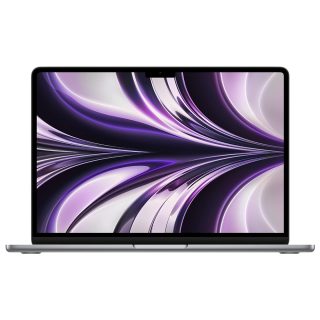
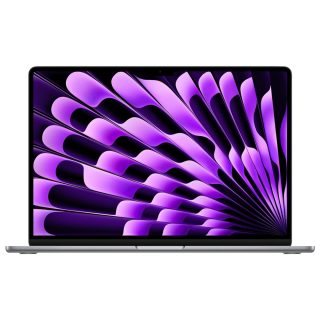
1. MacBook Air: Lightweight and Perfect for Everyday Tasks
The MacBook Air is designed for users who prioritize portability and efficiency. It’s an ideal option for students, casual users, and professionals who primarily perform everyday tasks, such as web browsing, document editing, and media streaming. Here are the standout features of the MacBook Air:
Key Features of MacBook Air
- M3 Chip: The latest MacBook Air models come equipped with Apple’s M3 chip, which balances speed and power efficiency, making it suitable for most non-intensive applications.
- Thin and Light Design: Weighing just under 1.3 kg, it’s easy to carry around, perfect for people on the go.
- Battery Life: Up to 18 hours of battery life, allowing you to work or study throughout the day without needing to recharge.
- Display Options: Available in 13-inch and 15-inch models, both with Retina displays for vibrant and crisp visuals.
- Price: More affordable compared to the MacBook Pro, making it accessible for budget-conscious buyers.
The MacBook Air is perfect if you’re looking for an affordable Apple MacBook with excellent battery life and enough power for everyday tasks. However, if you need more processing power, you might want to consider the MacBook Pro.

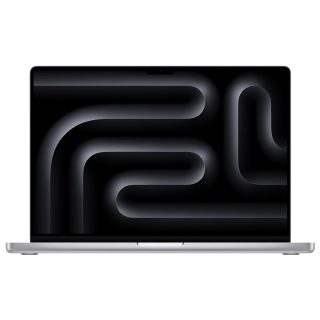
2. MacBook Pro: Powerhouse for Professionals
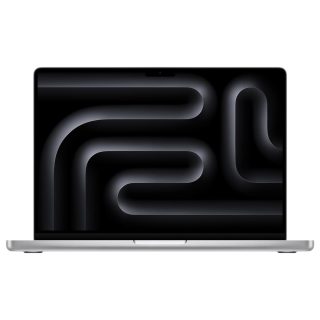
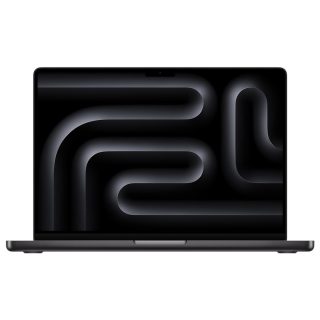
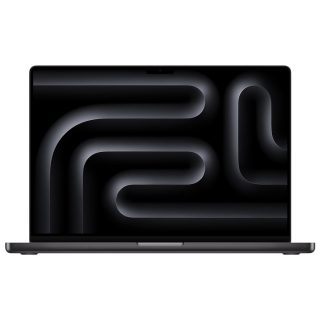
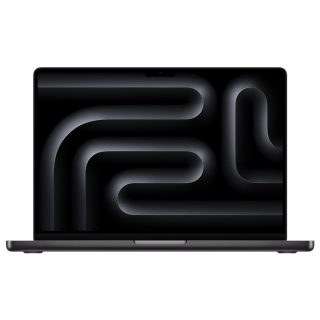
The MacBook Pro is Apple’s high-performance model, designed for users with more demanding needs, such as video editing, 3D rendering, or coding. The Pro series is available in 14-inch and 16-inch options, both packed with high-end features to cater to professionals who need the best performance possible.
Key Features of MacBook Pro
- M3 Pro and M3 Max Chips: These chips deliver exceptional power and speed, with up to 12-core CPUs and 38-core GPUs, making the MacBook Pro a favorite for creative professionals.
- Advanced Display: Equipped with a Liquid Retina XDR display, the MacBook Pro offers stunning brightness and color accuracy, ideal for visual work.
- Incredible Battery Life: Even with all its power, the MacBook Pro offers up to 14 hours of battery life, enough to sustain a full day of intensive tasks.
- RAM and Storage Options: Available with up to 64GB of RAM and 8TB of storage, making it the top choice for those who need extensive multitasking capabilities.
- Enhanced Connectivity: Additional ports, including HDMI, SD card slot, and Thunderbolt, make it easy to connect to multiple devices and external displays.
The MacBook Pro is undoubtedly the best choice for power users who require a high level of performance. However, its higher price point may be overkill if you only need a laptop for light to moderate tasks.
Apple Mac Books Comparison Table: MacBook Air vs. MacBook Pro
| Feature | MacBook Air | MacBook Pro |
|---|---|---|
| Target Users | Everyday users, students, casual work | Professionals, creatives |
| Chip Options | M3 | M3 Pro, M3 Max |
| Screen Size | 13-inch, 15-inch | 14-inch, 16-inch |
| Battery Life | Up to 18 hours | Up to 14 hours |
| Portability | Very portable | Heavier, more robust |
| Price Range | Lower-cost | Higher-cost |
| Performance | Sufficient for most tasks | Exceptional for demanding tasks |
Which MacBook Should You Choose?
- Choose the MacBook Air if you’re a student, casual user, or professional who primarily needs a laptop for everyday tasks. The MacBook Air’s affordability and portability make it a top choice for light to moderate usage.
- Choose the MacBook Pro if you’re a creative professional or need a powerful machine for tasks like video editing, graphic design, or software development. Its advanced display, higher processing power, and extensive RAM options make it ideal for intensive workloads.
Frequently Asked Questions
1. Is the MacBook Pro worth the extra cost?
If you’re a power user or professional, the MacBook Pro’s advanced features and performance are well worth the investment. However, for casual users, the MacBook Air might be more than enough.
2. Can the MacBook Air handle basic photo and video editing?
Yes, the MacBook Air with the M3 chip can handle basic photo and video editing. However, for heavy or professional-level editing, the MacBook Pro is a better fit.
3. How does the battery life compare?
The MacBook Air offers slightly longer battery life, but both models are highly efficient and should last a full day of typical use.
4. Where can I buy a MacBook in Pakistan?
You can check the latest MacBook models on Macbookshop.pk, where you’ll find a variety of MacBook Air and MacBook Pro options at competitive prices for Pakistan.
Conclusion
Choosing the right Apple Mac Books depends on your specific needs and budget. The MacBook Air is an excellent option for those seeking affordability and portability, while the MacBook Pro is the clear choice for those needing high-end performance. Both models offer the reliability and build quality Apple is known for, ensuring you get a laptop that’s built to last.
For the latest MacBook models and prices in Pakistan, visit Macbookshop.pk and make an informed decision to get the best Apple MacBook that suits your needs.

Leave a Reply
You must be logged in to post a comment.