
Choosing between an Apple Mac MacBook and a Windows laptop is a big decision, especially if you’re in Pakistan and considering factors like price, performance, and ecosystem. Apple’s MacBook lineup—including the MacBook Air and MacBook Pro—offers a distinct experience that contrasts sharply with what Windows laptops provide. Let’s break down the key differences to help you find the right choice for your needs.
Why Choose an Apple Mac MacBook?
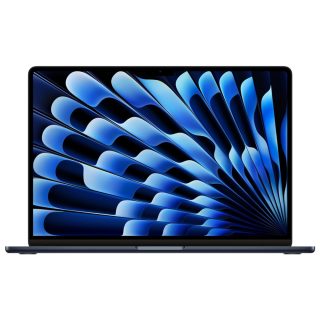
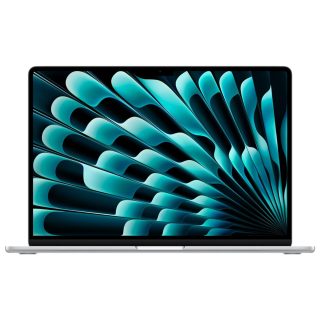
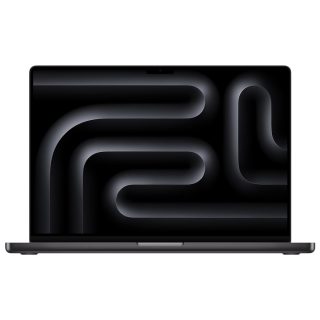
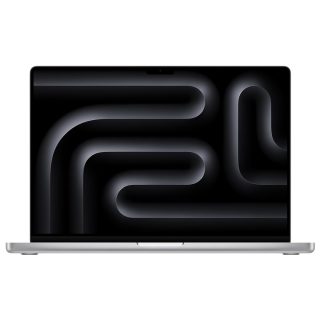
Apple MacBooks, both the MacBook Pro and MacBook Air, are renowned for their quality, durability, and seamless software integration. Here are some of the main reasons why people choose a MacBook over a Windows laptop:
- Build Quality and Design
Apple MacBooks are known for their sleek, minimalist designs and premium materials, making them not only visually appealing but also highly durable. The aluminum unibody construction gives the MacBook a lightweight feel while remaining sturdy. Windows laptops come in various designs, but only a few high-end models match the build quality of a MacBook. - macOS Ecosystem
One of the biggest selling points of an Apple Mac MacBook is the macOS operating system. macOS offers a clean and efficient user interface, optimized to work seamlessly with Apple’s hardware. Features like Handoff, iCloud, and Sidecar (which allows you to use an iPad as a secondary display) make working within the Apple ecosystem a highly streamlined experience. For those already using an iPhone or iPad, a MacBook is a natural fit. - Long-Term Software Support
Apple provides long-term software updates for its devices, ensuring your MacBook remains secure and up-to-date for years. This is particularly appealing for users who want to maximize the lifespan of their laptop. Windows laptops may also offer support, but the update duration often varies by brand and model.
For more details on Apple’s software support, you can visit the Apple Support page.
Key Differences Between Apple Mac MacBook and Windows Laptops
To help you make an informed decision, let’s compare Apple MacBooks with Windows laptops on several important factors:
1. Performance and Speed
- Apple MacBook: The latest MacBook models come with the M-series chips, such as the M1, M2, and M3. These processors are designed by Apple and optimized for macOS, providing impressive performance with excellent power efficiency. This means you can run intensive applications on a MacBook Pro or a MacBook Air with less heat and noise.
- Windows Laptops: Windows laptops typically use Intel or AMD processors, offering more variety in terms of price and performance. However, the performance can vary widely depending on the model and manufacturer, with some high-end laptops matching or even exceeding the MacBook’s speed, especially for gaming.
2. Display Quality
- MacBook: Apple MacBooks are known for their high-resolution Retina displays, which deliver vibrant colors and sharp detail. The True Tone technology in newer models also adjusts the display to the ambient light, reducing eye strain.
- Windows Laptops: Windows laptops offer a range of display options, from basic HD to 4K UHD displays. Some high-end models from brands like Dell and HP can rival the MacBook’s display quality, but lower-end models may lack the same sharpness and color accuracy.
For more on MacBook displays, see Apple’s display technology.
3. Software and Applications
- MacBook: macOS offers a smooth user experience and comes with built-in software like iMovie, GarageBand, and Pages. However, macOS is limited in terms of certain specialized software—especially games or Windows-exclusive applications.
- Windows Laptops: Windows has the edge in software compatibility, with more available applications for a variety of purposes, especially in fields like engineering and gaming. If you rely on specific software that’s Windows-only, a Windows laptop may be the better choice.
4. Battery Life
- MacBook: The M-series MacBooks are praised for their exceptional battery life, often lasting up to 20 hours on a single charge for the MacBook Air. This is highly beneficial for students and professionals who need their laptops to last throughout the day.
- Windows Laptops: Battery life on Windows laptops varies greatly. While some models offer good battery performance, few can match the long-lasting battery of a MacBook.
5. Price Range
- MacBook: Apple MacBooks are generally on the expensive side, but they’re considered an investment due to their durability and long-term software support. In Pakistan, the MacBook Air is often the more affordable choice for students, while the MacBook Pro suits professionals requiring more power.
- Windows Laptops: Windows laptops offer a much wider price range, from budget options to premium devices. If you have a limited budget, a Windows laptop provides more affordable options without compromising essential features.
Is an Apple Mac MacBook Right for You?
If you’re already invested in the Apple ecosystem with devices like an iPhone or iPad, an Apple Mac MacBook is a compelling choice. Its integration with other Apple devices, long battery life, and premium build quality make it ideal for students and professionals looking for a reliable machine. Additionally, macOS provides a seamless user experience with built-in productivity apps, and the M-series processors ensure excellent performance without compromising on efficiency.
For more on the MacBook Air and Pro models, check out Apple’s official site or MacBook Pro page.
Conclusion: Choosing Between Apple Mac MacBook and Windows Laptops
Both Apple MacBooks and Windows laptops have their strengths, and the best choice depends on your specific needs. If you prioritize build quality, battery life, and software integration within the Apple ecosystem, a MacBook—whether it’s the MacBook Air or MacBook Pro—might be your best choice. However, if you need a more budget-friendly option or rely on Windows-specific applications, a Windows laptop could offer more flexibility.
Ultimately, the decision between an Apple Mac MacBook and a Windows laptop comes down to personal preference, usage requirements, and budget. Consider these factors carefully to ensure you get the right laptop for your needs.

Leave a Reply
You must be logged in to post a comment.