
MacBook Pro or Macbook Air M3?
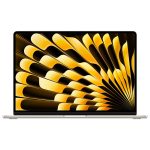
Apple’s M3 chip has arrived, marking a new era for both MacBook Pro vs MacBook Air. If you’re looking to upgrade or buy a new MacBook, it’s crucial to understand the key differences between the MacBook Air M3 and MacBook Pro M3. While both devices offer powerful performance, they cater to different types of users. Here’s a detailed comparison to help you decide which model suits your needs.
1. Performance: M3 Chip and Beyond
Both the MacBook Air and MacBook Pro models feature the Apple M3 chip, known for its speed and efficiency. However, the MacBook Pro has the advantage of offering higher-end configurations, like the M3 Pro and M3 Max, which are optimized for even more demanding tasks.
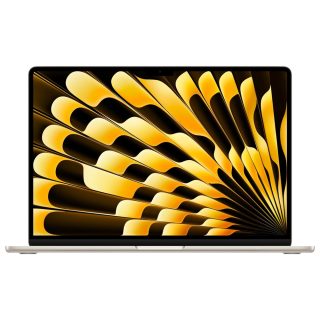
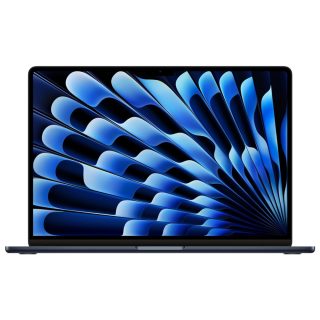
- MacBook Air M3: Powered by the base M3 chip, this laptop is more than enough for everyday tasks like web browsing, media editing, and light coding. Its fanless design ensures silent operation, making it perfect for casual users and students.
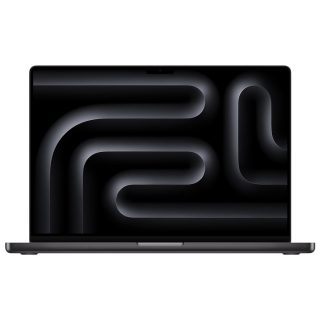
- MacBook Pro M3: The M3 chip in the base model is also fast, but if you need more power, you can upgrade to the M3 Pro or M3 Max variants. This makes the MacBook Pro more suited to heavy users, such as video editors, software developers, and engineers who rely on intensive software.
Winner: MacBook Pro M3 for performance flexibility. However, if you don’t need extra processing power, the MacBook Air M3 will serve you well at a lower cost.
2. Design and Portability of Macbook Pro Vs Macbook Air
Both MacBooks feature sleek designs, but there are differences in terms of size, weight, and build.
- MacBook Air M3: Weighing around 2.7 pounds, the MacBook Air M3 is the lighter of the two, designed for portability. Its slim, wedge-shaped design makes it ideal for users who need to carry their laptop around frequently.
- MacBook Pro M3: The MacBook Pro M3 is slightly heavier, weighing about 3 pounds for the 13-inch model and up to 4.7 pounds for the 16-inch version. The Pro’s slightly bulkier form factor accommodates better cooling and more powerful components, but it may not be as convenient for travel.
Winner: MacBook Air M3 for portability. The lighter weight and sleek design make it the better option for on-the-go users.
3. Display and Graphics of MacBook Pro Vs Air M3
Both models come with Apple’s stunning Retina display, but the MacBook Pro offers enhanced features.
- MacBook Air M3: Features a 13.6-inch Liquid Retina display with support for 1 billion colors and True Tone technology. It offers vibrant visuals but lacks the high-end display features found in the Pro model.
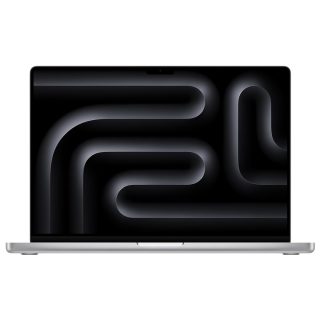
- MacBook Pro M3: Available in both 14-inch and 16-inch sizes, the Pro boasts ProMotion technology with up to 120Hz refresh rate. It also supports higher brightness levels and better color accuracy, making it the go-to option for creative professionals.
Winner: MacBook Pro M3 for superior display quality. If you do graphic design, video editing, or gaming, the Pro is a better choice.
4. Battery Life of MacBook Pro and Air M3
Both devices offer exceptional battery life, but the MacBook Air M3 edges out slightly due to its fanless, more power-efficient design.
- MacBook Air M3: Provides up to 18 hours of battery life on light tasks like web browsing or watching videos, making it ideal for users who need long battery life.
- MacBook Pro M3: Depending on the model, the Pro can deliver between 18 to 22 hours of battery life for the 13-inch version. However, the larger Pro models with the M3 Pro or M3 Max chips may see slightly less battery life under heavy use.
Winner: MacBook Air M3 for basic, everyday use. However, the MacBook Pro M3 can offer similar battery life with lighter tasks.
5. Price and Value
Price is often the deciding factor when choosing between these two models.
- MacBook Air M3: Starts at a more affordable price point, making it the better option for students, casual users, and those on a budget.
- MacBook Pro M3: With its higher performance and more advanced features, the MacBook Pro starts at a higher price. The Pro’s ability to upgrade to the M3 Pro and M3 Max chips also adds to the cost.
Winner: MacBook Air M3 for value. If you’re looking for a premium Apple experience without the extra cost, the MacBook Air M3 offers excellent performance for the price.
6. Ports and Connectivity
Both models support Thunderbolt/USB 4 ports, but the MacBook Pro has a more diverse port selection.
- MacBook Air M3: Comes with two Thunderbolt/USB 4 ports and a MagSafe 3 charging port, which is sufficient for most users.
- MacBook Pro M3: The Pro adds an extra Thunderbolt 4 port, an HDMI port, and an SDXC card slot, making it a better choice for users who need more connectivity options.
Winner: MacBook Pro M3 for connectivity. The extra ports make it more versatile, especially for creative professionals.
Conclusion: MacBook Pro and Air M3, Which is better?
- Choose the MacBook Air M3 if you’re a student, casual user, or someone who values portability and affordability. It’s perfect for light to moderate use, offering excellent battery life and a fanless design.
- Choose the MacBook Pro M3 if you need more power for creative or professional tasks. The MacBook Pro’s advanced features, superior display, and flexibility with M3 Pro and M3 Max chips make it ideal for professionals requiring top-tier performance.
For more details on pricing and availability in Pakistan, visit macbookshop.pk.

Leave a Reply
You must be logged in to post a comment.